

Two notations

![[beispiel-breit.png]]The first is standard Markdown, the second Obsidian’s wikilink form. Both work; only the first knows an alternative text.
The alternative text is not optional
What stands in the square brackets is read out when the image does not arrive or is not seen.
“Image” or “screenshot” had better not stand there — describe what can be seen. A purely decorative
image gets ![]() with an empty bracket; then it is skipped instead of being read out by its file
name.
The formats
| Format | What for | Example |
|---|---|---|
| PNG | flat areas, text, sharp edges, transparency | 14 KB for 960 × 540 |
| JPEG | photographs and gradients | 40 KB for 1200 × 800 |
| WebP | the same as JPEG, smaller | 9 KB for 800 × 800 |
| GIF | short moving images without sound | 14 KB, 12 frames |
| SVG | diagrams, logos, everything drawn | 3 KB, scalable at will |
JPEG — for photographs
WebP — the same, smaller
GIF — movement without a video file
A GIF plays automatically and endlessly. For anything over a few seconds a video is better: a GIF knows no compression over time and quickly grows larger than an MP4 of the same content.
Automatic movement is an accessibility question
An endlessly looping GIF cannot be stopped. For content running longer than five seconds, WCAG requires a way to stop it — a video with controls is the right choice for that.
SVG — drawn rather than photographed
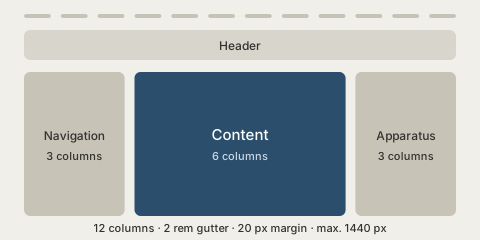
An SVG is text. It stays sharp at every size, can be versioned and can take its colours from CSS.
Controlling the size — only with the wikilink form
![[beispiel-breit.png|300]]
Width × height is possible too, but distorts when the ratio does not match:
![[beispiel-klein.png|200x120]]
Size or alternative text — not both
Measured on this page:
Notation Result ![[image.png|300]]<img width="300" height="auto" alt>— size, no alternative textalt="Text|300"— alternative text, no sizeThe Markdown form does not know the size notation: the whole string after the exclamation mark becomes the alternative text,
|300included. The wikilink form sets the size but leavesaltempty.Anyone needing both writes HTML:
<img src="assets/image.png" alt="Description" width="300">
And exactly that, with both:
In this template
Every image gets a delicate border and rounded corners. Without the border an image with a white background looks like a hole on the warm ground of this page — out of the box it stands unframed.
An explicitly set width is kept; the template only caps it at the column width.