

The start screen is the list of projects. Everything else in this handbook from chapter 3 onwards applies to one of them.
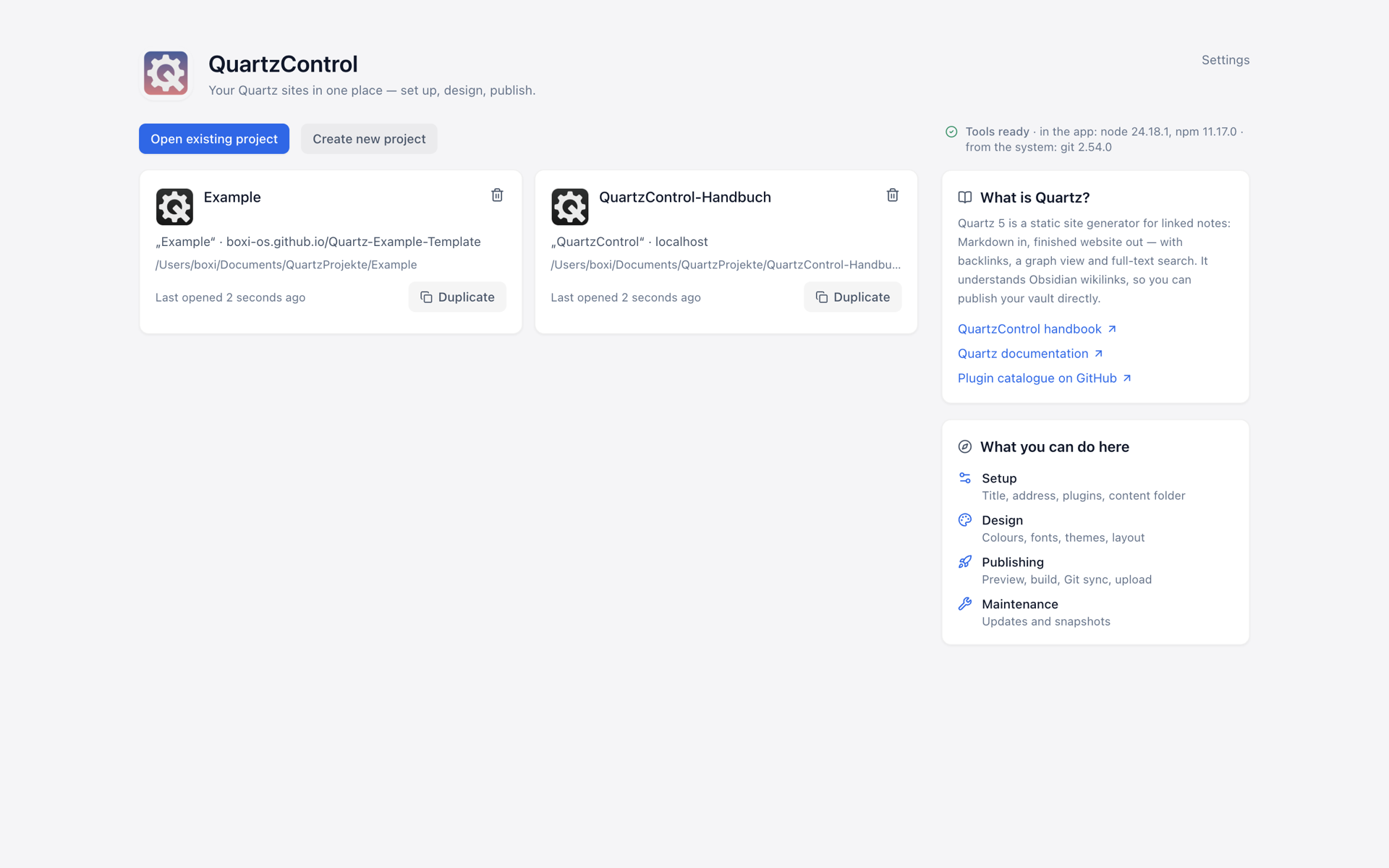
The start screen with the project list; on the right, this machine’s tools and what Quartz is.
What a row tells you
Every project appears as a card: image and name, below them the site’s title and base URL and the path. At the bottom, depending on the situation:
- Last opened — when that was, or “Never opened”.
- Dev server running — with the port, if known. Even when the project is not open: a dev server belongs to QuartzControl, not to the window.
- Folder not found — moved, renamed, or on a drive that is not mounted. The row then offers Locate folder…, which points QuartzControl at the new place without recreating the project.
- Not a Quartz project — the folder is there, but holds no
quartz.config.yaml.
From six projects on, a search field sits above the list. It filters by name and path; with fewer it would be a row that saves nothing.
The three buttons
- Create new project — the wizard from 2.2.
- Open existing project — for a Quartz already on disk, see 2.3.
- Settings — top right, see 2.5.
Removing from the list
Every project has a bin icon at the top right, named after it (“Remove “Project””). The question that follows says the same sentence both times:
The folder on disk is left untouched.
Only the entry in this list is removed. The files stay where they are, and via Open existing project the project is back at any time, with everything in it. If a dev server is running, the question says so as well: it will be stopped.
What else is on the page
On the right — below on narrow windows — there is first a line Tools ready with the versions and where they come from: node and npm from QuartzControl, git from the system (described in 1.3). If a tool is missing or credentials are not stored safely in the keychain, a yellow band at the very top says so instead. Below, one card explains what Quartz is, with links to this handbook, Quartz’s documentation and the plugin catalogue; a second one, what you can do here.
If a newer version of QuartzControl exists, a line at the very top shows the new and the current version number. It downloads nothing and changes nothing — it links.