

The overview is the first screen of a project. It changes nothing — it looks, and links to wherever something is to be done.
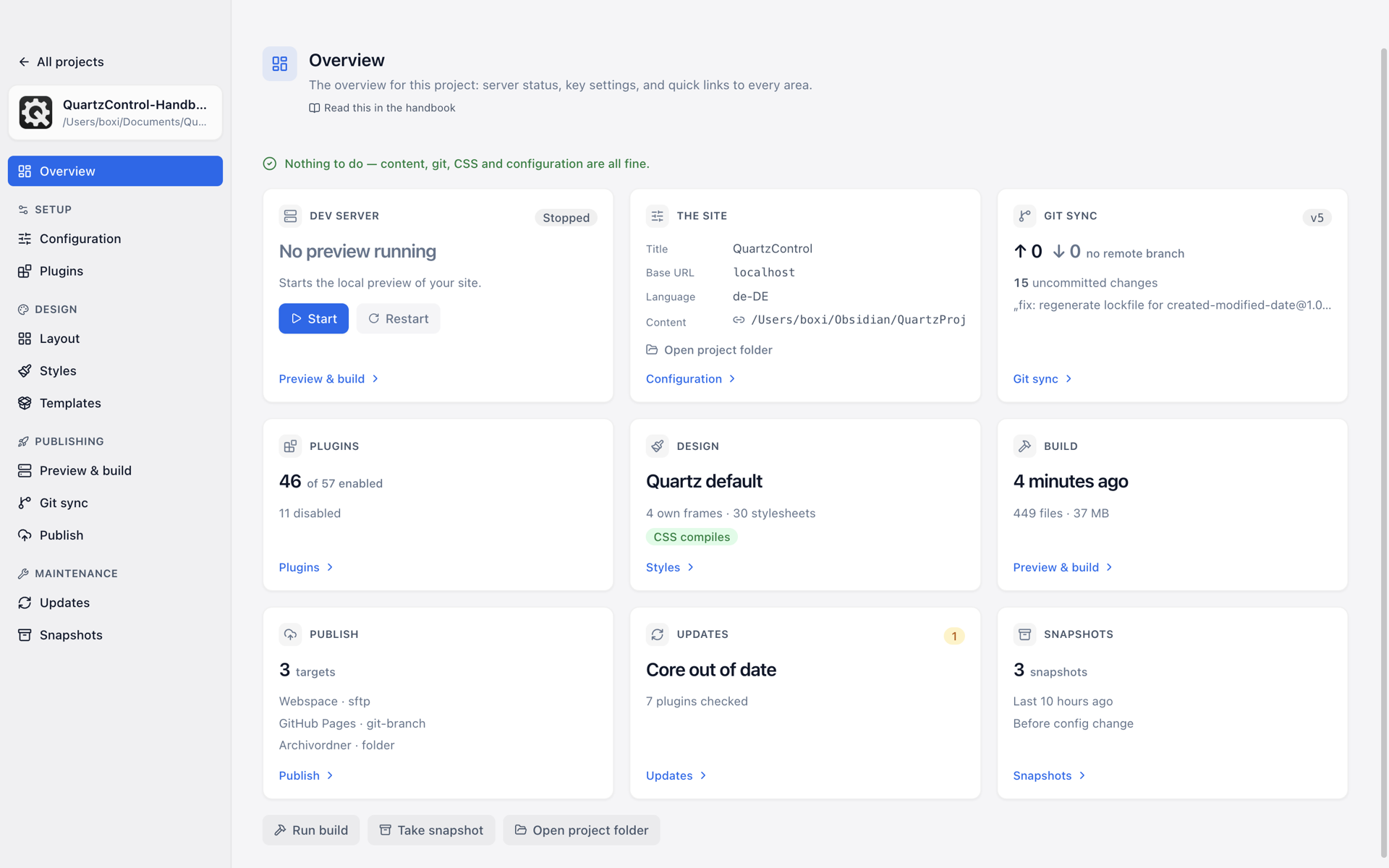
A project’s overview, here with nothing to do.
Needs attention
At the very top, always. If everything is in order, a green line says “Nothing to do — content, git, CSS and configuration are fine.” Otherwise it becomes a band naming what is pending:
| Message | What is behind it |
|---|---|
| The dev server exited with an error | The output is under Preview & build. |
| The content folder points nowhere | The link exists, its target does not — vault moved, renamed, or drive not mounted. |
| There is no content folder | Without one nothing builds. |
| n files in conflict | A pull found changes that could not be merged automatically. Until that is resolved, nothing can be pushed. |
| A merge/rebase is started and unfinished | git is in the middle of an operation. |
| Your CSS cannot be compiled | With a line number. The build would fail on it. |
| No base URL set | Without it the build fails as soon as fonts are self-hosted. |
The tiles
Dev server — whether it is running, since when, on which port; with start, stop and restart right here. In detail in 5.1.
The site — title, base URL, language and the content folder, saying whether it is a real folder (with a file count) or a link. Plus a button that opens the project folder.
Git sync — the state of the repository: branch, open changes, missing remote branch, conflicts. Or simply “No git repository” — which is a valid situation too, not a defect.
Plugins — how many of how many are active.
Design — which theme applies, how many frames and stylesheets of your own there are, and whether the CSS compiles. This is also where “CSS unchecked” appears, and that means exactly that: not checked, not “fine”.
Build — when the last build ran, how many files are in the output folder and how large it is, or “Never built”. During a build, its line with clock and phase stands here.
Publish — how many targets are set up.
Updates — whether the core and the plugins are current. Here too “Cannot check” is an answer of its own, when the check did not get through.
Snapshots — how many snapshots there are and when the last one was.
Below the tiles are three buttons for what you most often do from here: Run build, Take snapshot and Open project folder.
What the page costs
Almost nothing. On opening it reads local files and asks one question over the network — the one about updates — and it does not wait for the answer. That is what lets it be a project’s opening screen without the opening feeling sluggish.