

A build produces the finished site once — the HTML files, the stylesheets, the search index, the images. Afterwards a folder sits there that can be uploaded, checked or handed on.
For looking at things while writing there is the dev server. The build is the step before publishing.
While it builds
A large project takes a while to build. While it runs, a line with a clock and a phase sits below the button: “Building for 0:42 · writing the pages”. The phases are preparing, reading the notes and writing the pages — as long as the clock keeps going, nothing is stuck.
The same line shows on the overview, and it stays when you open another page in between. A second click on Build now during a build does not start a second one; it waits for the running one. The dev server shows the same kind of line in its own card when it starts and after every change — after a save in QuartzControl it takes almost as long as its start, because it then rebuilds everything. While a build is running, the build’s line stays.
What is there afterwards
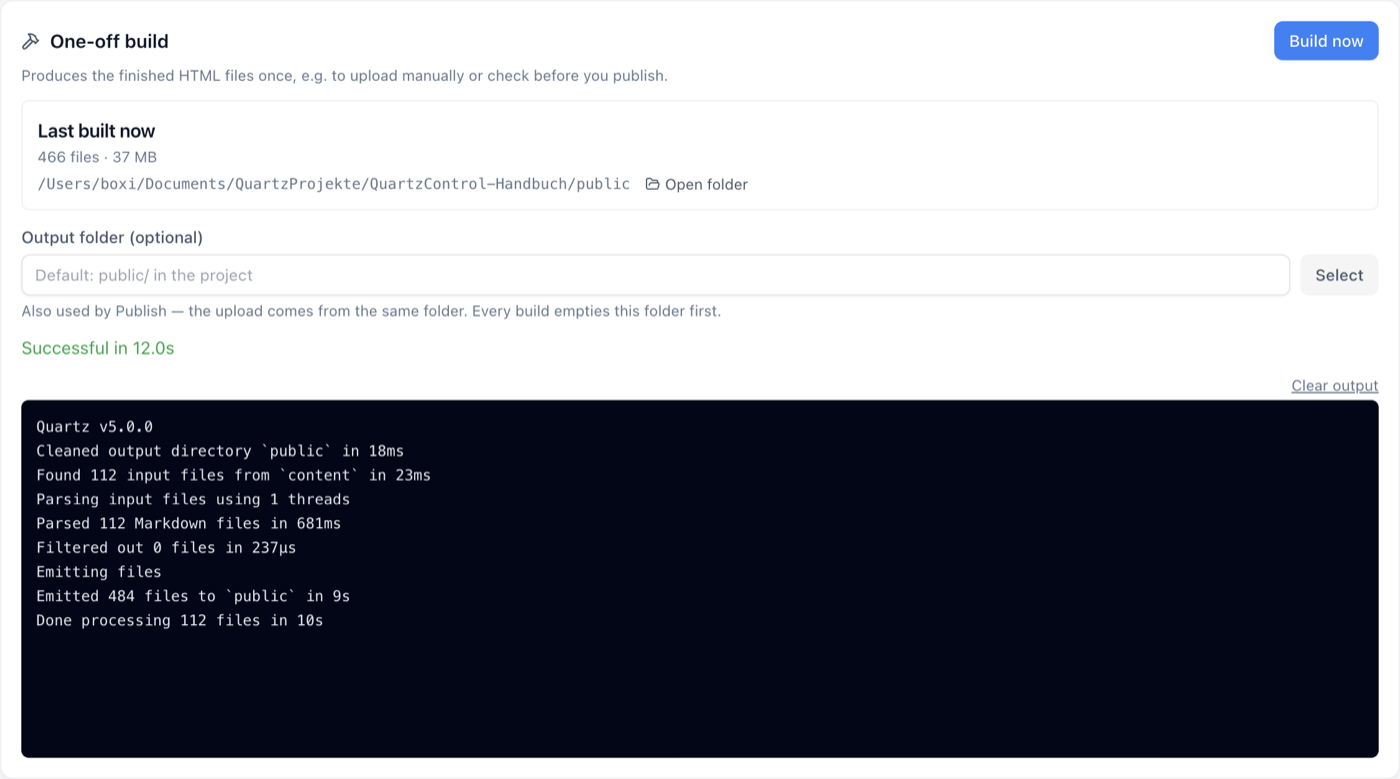
After the build: result, duration, and the output below.
The card shows when the last build was and how many files are in the output folder — or “Never built”. A button opens the folder.
Below it the build output, with the result and the duration: Successful in 4 s or Failed. On failure the reason is above it.
The output folder
The default is public/ in the project. Anyone changing it should have read two sentences that are in
QuartzControl as well:
Every build empties this folder first.
Also used by Publish: the upload comes from the same folder.
The first is the important one. A build is not an addition but a replacement; whatever was in there before is gone afterwards.
That is why QuartzControl checks the folder before using it. If it holds files that do not look like a build, it says so with the count and asks:
It holds 12 entries that do not look like a Quartz build. Every build wipes its output folder completely. This cannot be undone.
And some folders it refuses outright — the project folder itself, for instance. It then names the reason and suggests a folder of its own.
When a build pays off although the server is running
Three cases:
- Before publishing. What gets uploaded is the content of the output folder — not what the dev server currently holds in memory.
- To read in variables. The Variables tab can show what the theme and the plugins actually produce — for which it needs a build.
- To check. A build reports errors the server passes over when building incrementally.