

The Site tab under Configuration is the site’s basic setup. The fields land in
quartz.config.yaml and take effect only on Save; the content folder and the project image
above them take effect at once.
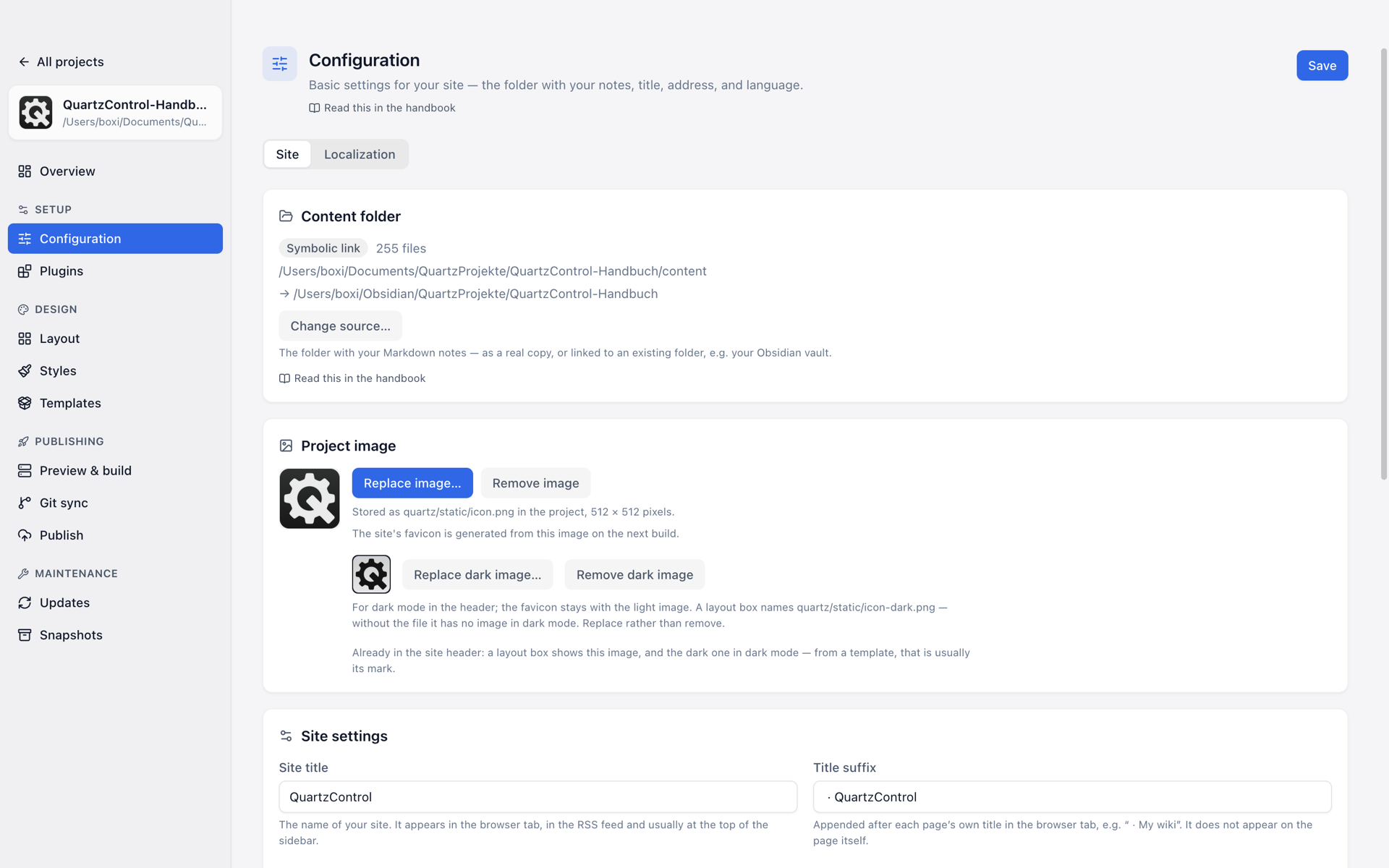
Configuration → Site.
Colours are no longer here
Colours and fonts have moved to the Styles. There they form the base layer on which themes, variables and custom CSS build — which can only be explained where all four sit next to one another.
At the very top of the tab sits the content folder — where the site gets its notes from (3.4). Below it comes the project image — for QuartzControl, the favicon and, if you want, the site’s header. It has a page of its own: 3.3.
Title
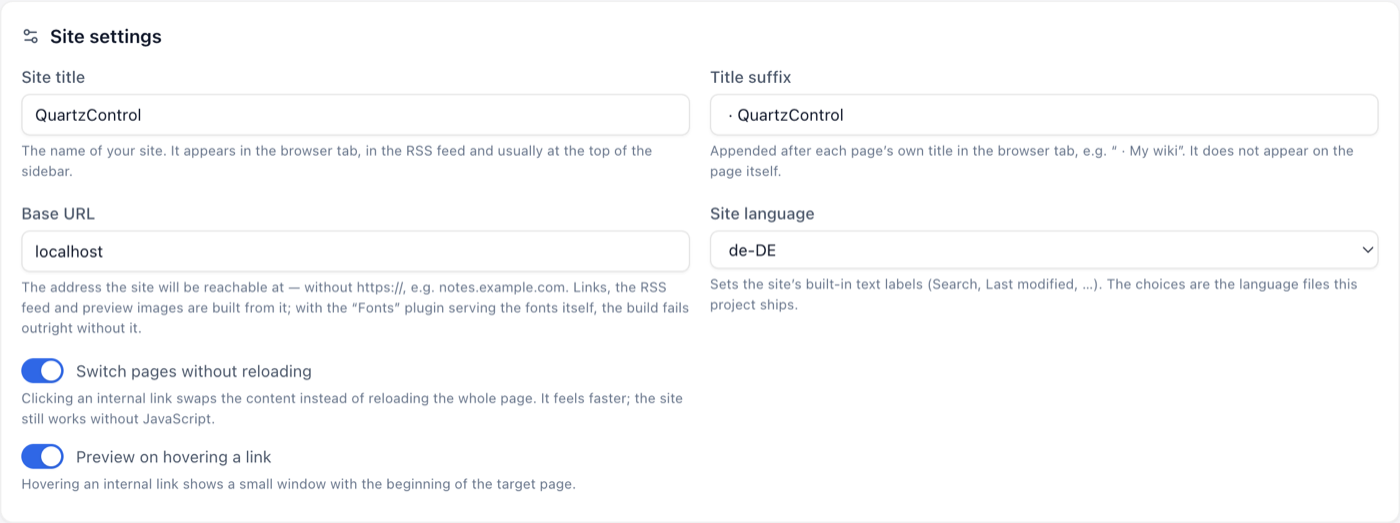
The site settings: title, base URL, language and the two switches for behaviour.
Page title — the site’s name. It appears in the browser tab, in the RSS feed and usually at the top of the sidebar.
Title suffix — appended in the browser tab behind the individual page’s title, as in
My note · My wiki. It does not appear on the page itself.
Base URL
The address the site will be reachable at — without https://, so notes.example.com. Quartz
builds the links, the RSS feed and the preview images from it.
It matters more than it looks: without it the build fails as soon as fonts are self-hosted —
because then the font URLs have to be rewritten onto it. While it is unknown, localhost stays; the
overview reports that under Needs attention.
Site language
Decides the fixed wording — “Search”, “Last updated”, “Graph view”. The choices are the language files this project brings; an entry that is not among them is marked as such.
This is the language of the site, not of QuartzControl. That one is in the settings.
Anyone wanting to word individual pieces differently does so in the Translations tab.
Two switches for behaviour
Page transitions without reloading — clicking an internal link swaps only the content instead of reloading the whole page. It feels faster; the site works without JavaScript all the same.
Preview on hovering a link — hovering an internal link shows a small window with the beginning of the target page.
Excluding notes
One pattern per line. Whatever matches never enters the site — private/**, say, or
*.excalidraw.md.
This concerns the build only. What is already on the server does not disappear because of it; anything to be kept out of publishing is set on the target (see 6.7).
Analytics
Embeds a provider’s counting script into every page. Without a provider nothing is loaded and nothing is measured — that is the default.
Depending on the provider, one or two fields come along (measurement ID, website ID, and for self-hosted instances the address). If one is missing, the card says which: a half-filled script sends nothing but looks like it is working.