

Below the preview and below the build sits a console each. It shows what Quartz says — verbatim, untranslated, because it is another program’s output.
What is normal
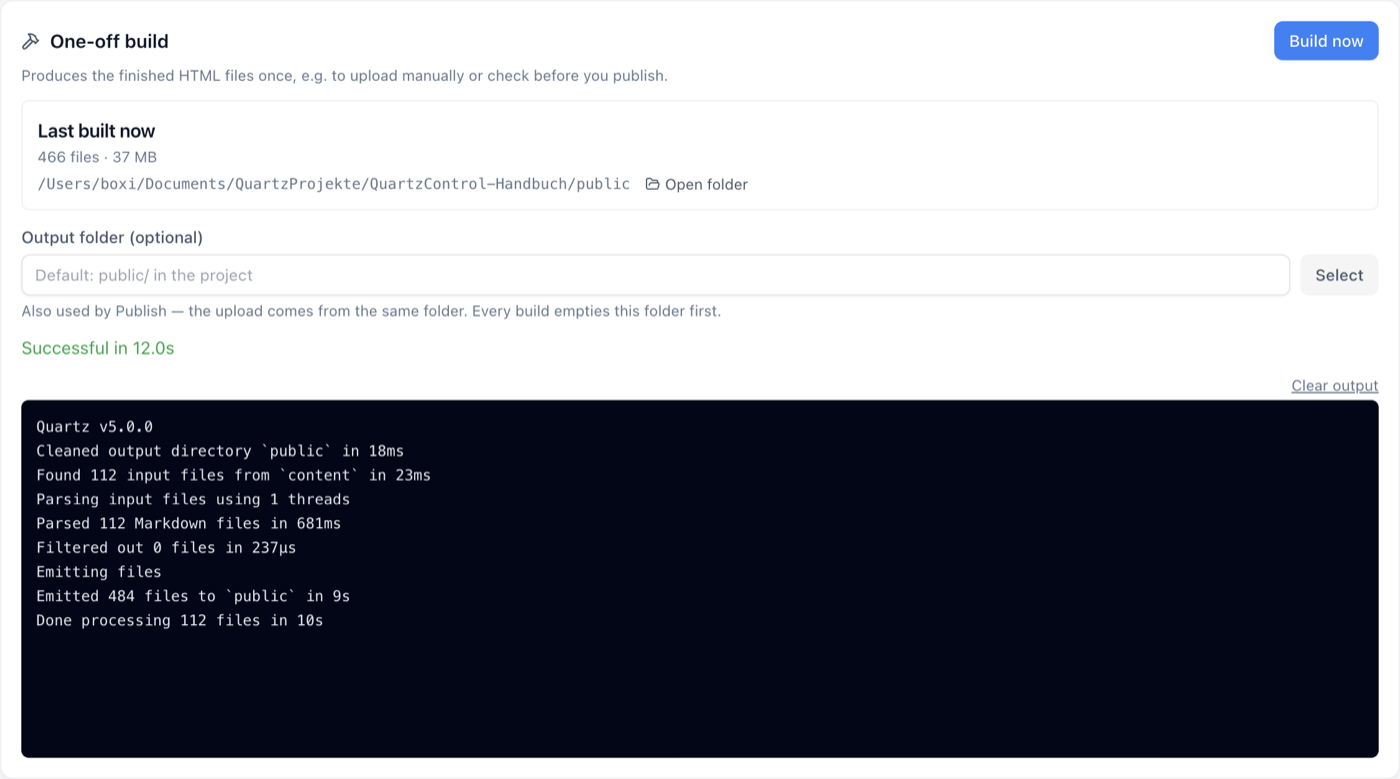
A successful build: result and duration above the output.
A successful run looks roughly like this:
Quartz v5.0.0
Cleaned output directory `public` in 20ms
Found 114 input files from `content` in 15ms
Parsing input files using 1 threads
Parsed 114 Markdown files in 621ms
Filtered out 0 files in 238μs
Emitting files
Emitted 461 files to `public` in 8s
Done processing 114 files in 8s
Four of these lines answer four questions — how many files were found, how many read, how many removed by the exclusion patterns, how many written.
The first number is the most useful one. If it is far too small, the content folder does not point where you think it does.
The common errors
| What it says | What is behind it |
|---|---|
bad indentation of a mapping entry | A frontmatter value with a colon that is not in quotes. The build breaks off at the first affected file. |
| An SCSS error with a line number | The custom CSS cannot be compiled. The tab there checks that without building. |
Cannot find package or Cannot find module | A dependency is missing. In a freshly cloned project all of them are, and the first message reads Cannot find package 'yargs'. |
| A plugin reporting by name | Then it is that plugin’s message; the plugin’s repository is the right address. |
When the preview does not start
A taken port is not the reason: the server then takes the next free one, and the console says so,
for instance Port 8080 is in use — the server takes 8082 instead. What holds the port is shown on
the card Servers running on this machine — see
5.4.
If the preview still does not start, the reason is in the console; the table above lists the common messages.
When the output stays empty
In rare cases QuartzControl reports that it cannot record the server’s output. The server still runs — only this console stays empty for this run. In the browser the preview is reachable as usual.