

Git sync reconciles the project, not the site. It uploads what lies in the project folder — the configuration, the stylesheets, and the notes if they are there — so that a second machine can carry on with it.
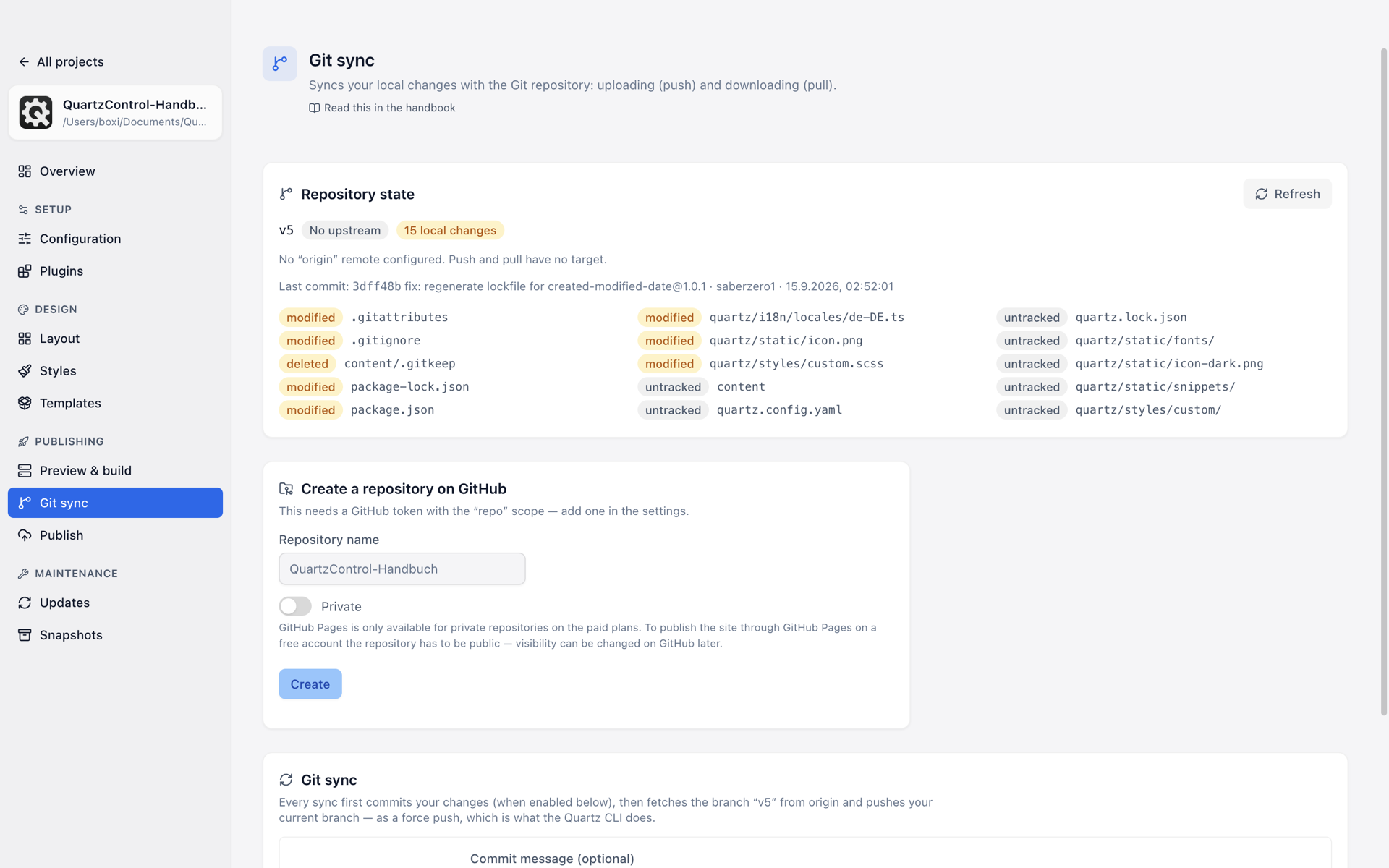
Git sync: the state of the repository, here without an “origin”.
Getting the finished site onto a server is the job of targets. And getting an earlier state back is the job of snapshots. Three things, three pages.
The state of the repository
At the top is where the project currently stands, and the answers are more precise than “fine”:
| State | What it means |
|---|---|
| Up to date with the remote | Nothing to do. |
| n commits not yet pushed / pulled | The usual case. |
| No local changes / n local changes | What has not been committed. |
| n conflicts | A pull found changes that could not be merged automatically. Until that is resolved, no push. |
| No upstream | The branch has no counterpart on the server. How many commits are missing therefore cannot be said — the first push creates it. |
| No branch checked out | The project sits on a single commit. Push and pull have no target that way. |
| No git repository | A valid situation too. Sync is then not possible here. |
| Read error | git could not read the state — no git, a folder git refuses, a damaged index. Whether it is a repository cannot be told then; the page shows what git says. |
What a sync does
The sentence stands above the buttons and is to be taken literally:
Every sync first commits your changes (when enabled below), then fetches the branch from origin and pushes your current branch as a force push.
Three points about it matter:
- The committing can be switched off. Without it, only the already committed state is moved. The card says how many local changes would be affected.
- Pull always fetches the same branch from origin — regardless of which one is checked out here. On another branch the pull either fails or mixes something foreign in; QuartzControl then warns with both names.
- The push is a force push. That is the Quartz CLI’s behaviour, and it means: what is on the server is replaced by the local state.
Push, pull and both together are three separate buttons. Without “origin” they are disabled — they would have no target —, and the reason stands next to them; likewise in a project that is not a repository. On a read error they stay enabled, because then it is only unknown whether there is a target.
Creating a repository
If there is none on GitHub yet, the card Create repository on GitHub creates one and enters it as
origin. That needs a token with the repo permission; without
one QuartzControl says where it belongs.
On the question of public or private see 6.2 — on the free plan, private and Pages are mutually exclusive.
On the second machine
After cloning, two things are missing that deliberately do not live in the repository:
- The dependencies — the first build reports it.
- The built plugin files — fetched back under Plugins → Maintenance.
And one is missing permanently: the snapshots. They belong to this copy on this machine.