

The Styles area has four tabs, and their order is not a matter of taste: it is exactly the order in which the four layers override one another.
Base  →  Community theme  →  Variables  →  custom CSS
                                           wins
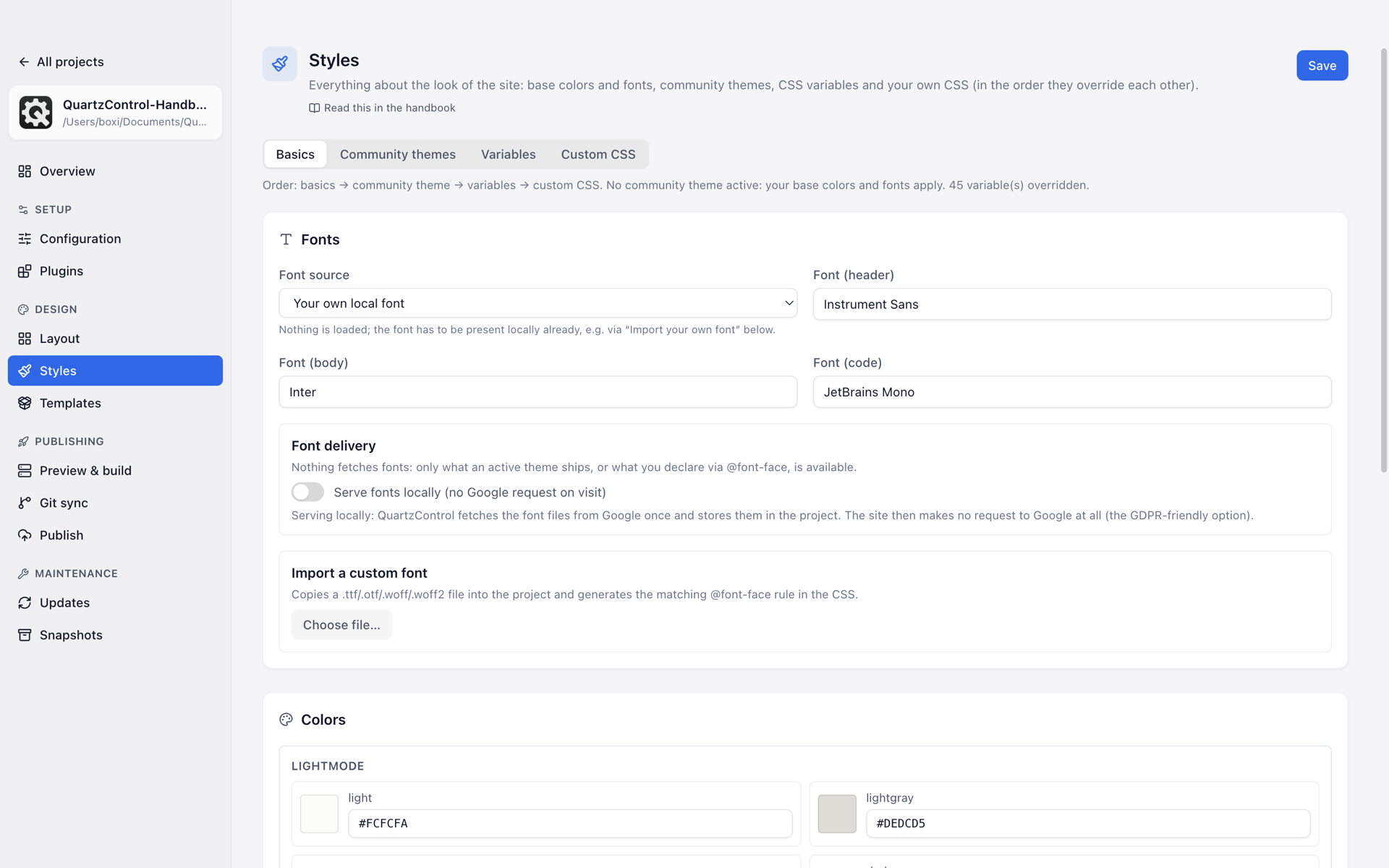
The four tabs stand in the order in which they override one another; the line below says what currently applies.
That line is in QuartzControl too, above the tabs, and it names which theme is active.
What each layer does
Base — the nine base colours and the three font roles, for light and dark. That is the layer Quartz works with on its own. Everything beyond is optional.
Community theme — a finished colour scheme from outside. While one is active it overrides the base colours; the base values stay stored and apply again as soon as the theme is off. That is why they are dimmed rather than locked in the Base tab, with the count beside them: “The theme overrides 7 of 9 colours and 2 of 3 fonts.”
Variables — overriding individual values on purpose, including ones neither base nor theme offers. That is the route when a theme almost fits.
Custom CSS — everything the three layers above cannot express. Beats everything else.
The rule of thumb
Work from the top down. Whatever the Base tab can set belongs there; only what is missing there becomes a variable; only what a variable cannot do either becomes custom CSS.
The reason is not tidiness: every layer further down is one more place a later theme or an update cannot reach through. A colour set in the Base tab follows the colour scheme; the same colour in custom CSS stays put even when it no longer fits.
The exception worth knowing
A theme can set colours that apply only to one kind of element — a callout’s colour, say. Such values cannot be overridden globally in the Variables tab; that needs custom CSS. QuartzControl says so where it becomes relevant.
Known conflicts
Below the tabs is a card called Known conflicts. It lists cases where two plugins get in each other’s way and no setting resolves it — only CSS.
Press Create fix and you get an ordinary file under Custom CSS: editable, movable, deletable like any other. QuartzControl hides nothing; it only writes down what you would otherwise have to work out yourself.