

The content folder is the content/ folder in the
project. The website is built from what lies in it. It is either a real folder or a
link to a folder outside. It sits at the very top of
Configuration → Site.
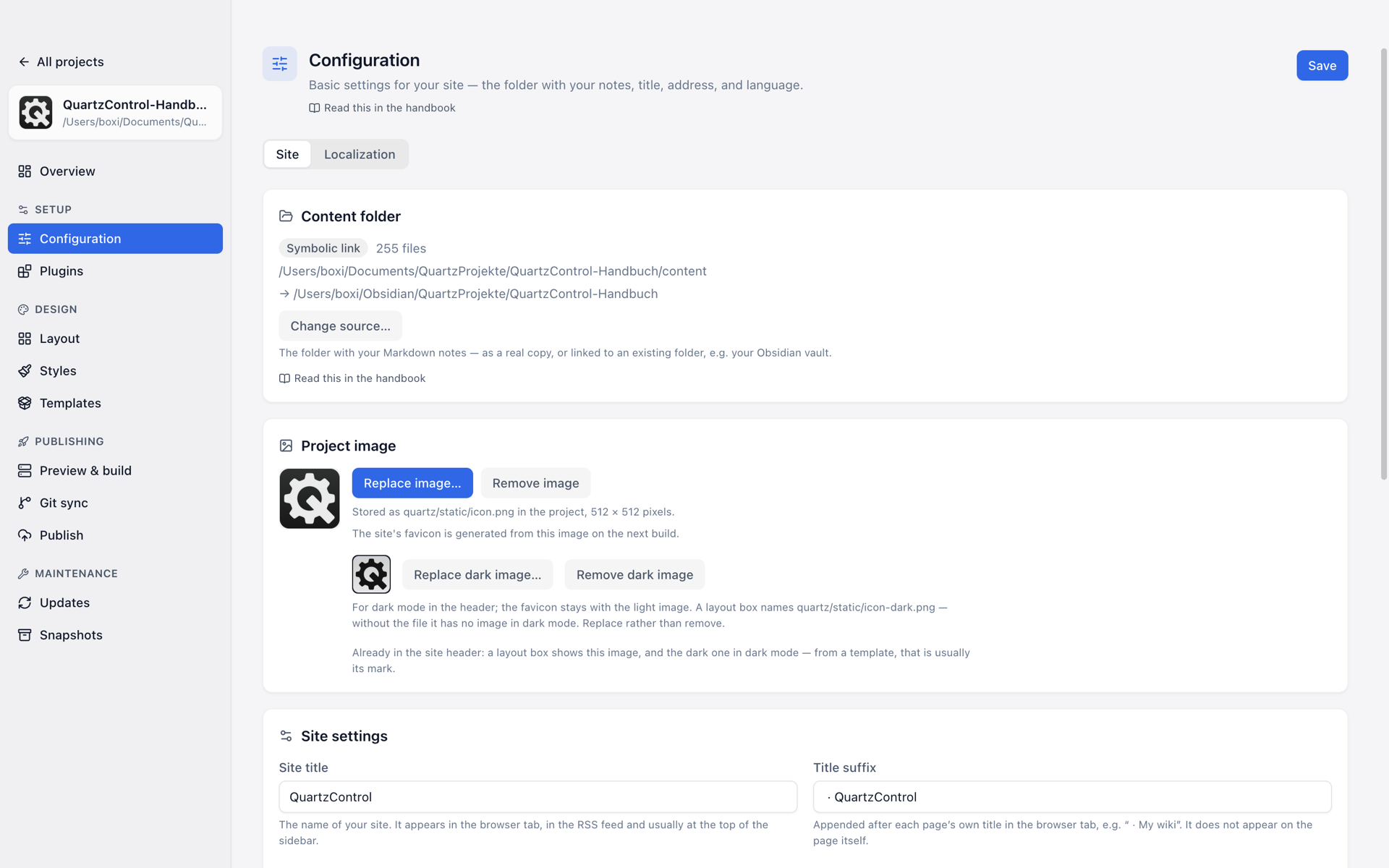
The content folder at the top of the Site tab, here as a link to a vault outside the project.
The two states
It shows which one applies — Real folder or Symbolic link, with the path and a file count.
Real folder. The notes live in the project. They belong to it, travel with it into a repository and are included in a snapshot if you switch that on.
Link. The notes live elsewhere — typically in a vault. Writing happens there, in Obsidian; Quartz reads through the link. The project then contains not one note, only the reference to them.
If the path is followed by “(target does not exist)”, the vault has been moved, renamed, or is on a drive that is not mounted. The link itself is still there; it just points nowhere.
The start page
Quartz turns index.md at the top of the content folder into the page at the site’s own address.
Without it the preview shows a 404 page there — Quartz makes an overview for every subfolder,
just not for the top one. A linked vault almost never has an index.md, which makes this the most
common reason a first preview says the page “is either private or doesn’t exist”.
QuartzControl says so in three places: in this group, on the overview and
on Preview & build. Create start page… asks for a
title — without one the page would be called “index” — and creates the file with a list of the
folders and notes currently at the top of the content folder. The list is not updated afterwards;
it is a start to write on from. An existing index.md is never overwritten. With a linked vault the
file goes into the vault, and the window names the folder before it writes anything.
Which folders and notes go into the list is decided by Quartz’s own ignore rules — as in the build.
If npm install has not run in the project yet, those are missing and the list is made without
them. The group says so afterwards: the list may then name folders the site does not have.
What the link means for snapshots
A linked vault is not backed up. The snapshot holds the link, not a single note. QuartzControl says so explicitly on the Snapshots page, and it is not a defect but the right division of labour: the vault is a source of its own with a backup of its own — and a snapshot would never overwrite it anyway.
Anyone wanting both backs up the vault themselves: with a repository of its own, with Obsidian Sync, or with whatever else.
Changing the source
Change source… opens a dialog with two fields: the new source folder and the strategy.
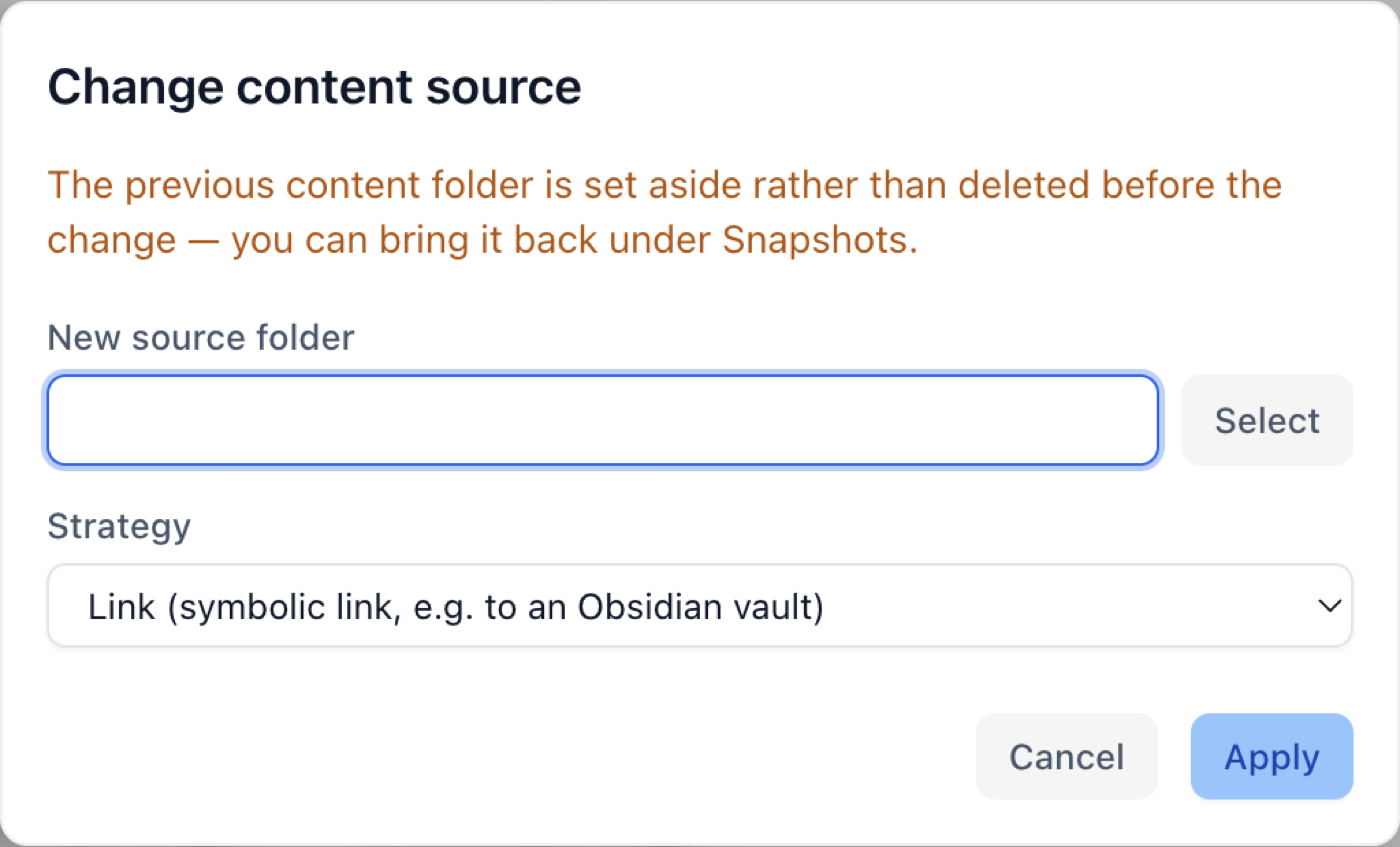
Two fields, and above them the sentence that nothing is deleted.
| Strategy | What happens |
|---|---|
| Link | content/ becomes a reference to the chosen folder. Nothing is copied. |
| Copy | The chosen folder’s content is copied in once; content/ becomes a real folder. |
Above both stands the sentence that matters:
The previous content folder is set aside rather than deleted before the change. You can bring it back under Snapshots.
So nothing is lost. The old folder moves to a place inside the project that the Snapshots page knows about, and from there it can be brought back or deleted for good (see 7.4).
When copying, QuartzControl shows the progress in files — with a large vault that takes a while.
What does not work
The source folder must not lie inside the project’s content folder. That one is set aside first when switching — so the source would move along while being copied from. QuartzControl refuses and says so.
After the switch
Two things pay off:
- Check the wikilink setting. How the targets are written — shortest form, absolute, relative — has to match the new notes, or the links find nothing.
- Rebuild, so the preview shows the new content.