

Create new project creates a folder and fetches Quartz from GitHub into it. The folder must not exist yet. This takes one to two minutes, because the dependencies are installed as well — QuartzControl says so in the button while it works.
The fields
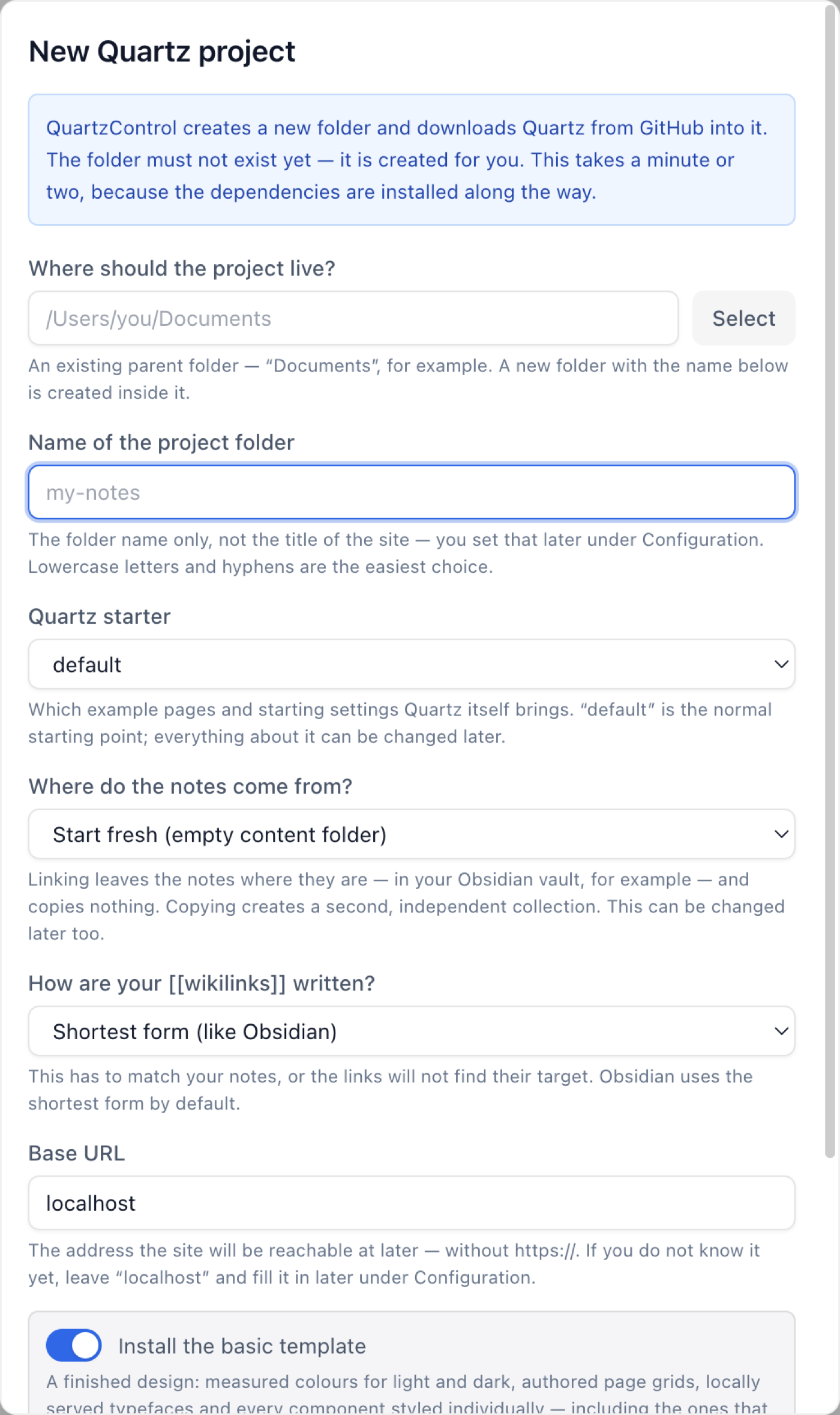
The wizard; “Where do the notes come from?” is the question that matters.
Where should the project live? A folder that already exists. The default comes from the default project directory in the settings.
Name of the project folder. Just the folder name, not the site’s title — that is set later under
Configuration. Lowercase letters and hyphens are easiest. A / is not allowed, nor are . and ...
Below the field is the full path that will come about.
Quartz starter. Which example pages and starting settings Quartz itself brings. default is the
normal starting point.
Where do the notes come from? The question that matters — three answers:
| Answer | What happens |
|---|---|
| Start fresh | An empty content folder in the project, with a start page. |
| Copy existing notes | The chosen folder is copied in once. A second, independent collection comes about. |
| Point at existing notes | The content folder becomes a link to the chosen folder. Writing carries on there. |
The difference between the last two is the most important in the whole wizard. Copying means two collections that drift apart. Pointing means one collection you keep writing in with Obsidian while Quartz reads it.
It can be changed later under Configuration → Site (3.4), and QuartzControl sets the previous folder aside rather than deleting it. Still: getting it right first is easier.
For copying and linking, a field for the source folder appears below.
How are your wikilinks written? Matters above all for copied or linked notes. Obsidian uses the shortest form by default. If the setting does not match the notes, the links will not find their targets — the pages are built all the same, but with dead references.
Base URL. The later address without https://. If you do not know it yet, leave localhost;
it can be filled in under Configuration.
The basic template
At the very bottom is Install the basic template. It brings a finished design: measured colours for light and dark, page grids of its own, self-hosted fonts, every component styled individually — including the ones that start switched off. Switch one on later and it arrives finished. Worth it for a first attempt, and everything can be changed afterwards.
Indented below it, With the example pages — twenty short pages in two languages that show what the site looks like before you have notes of your own. They are meant to be deleted. This option is only available when the content folder is created fresh. With copied notes it would overwrite files of the same name; with linked notes it would write into somebody else’s vault. QuartzControl does neither, and says why in both cases.
When something goes wrong
Creating the project and applying the template are two steps. If the second fails, QuartzControl reports it separately: “The project is there and usable. The template could not be applied, though.” A template can be imported afterwards at any time, see 4.9.