

Two things can be updated, and they sit in two cards: the Quartz core and the plugins.
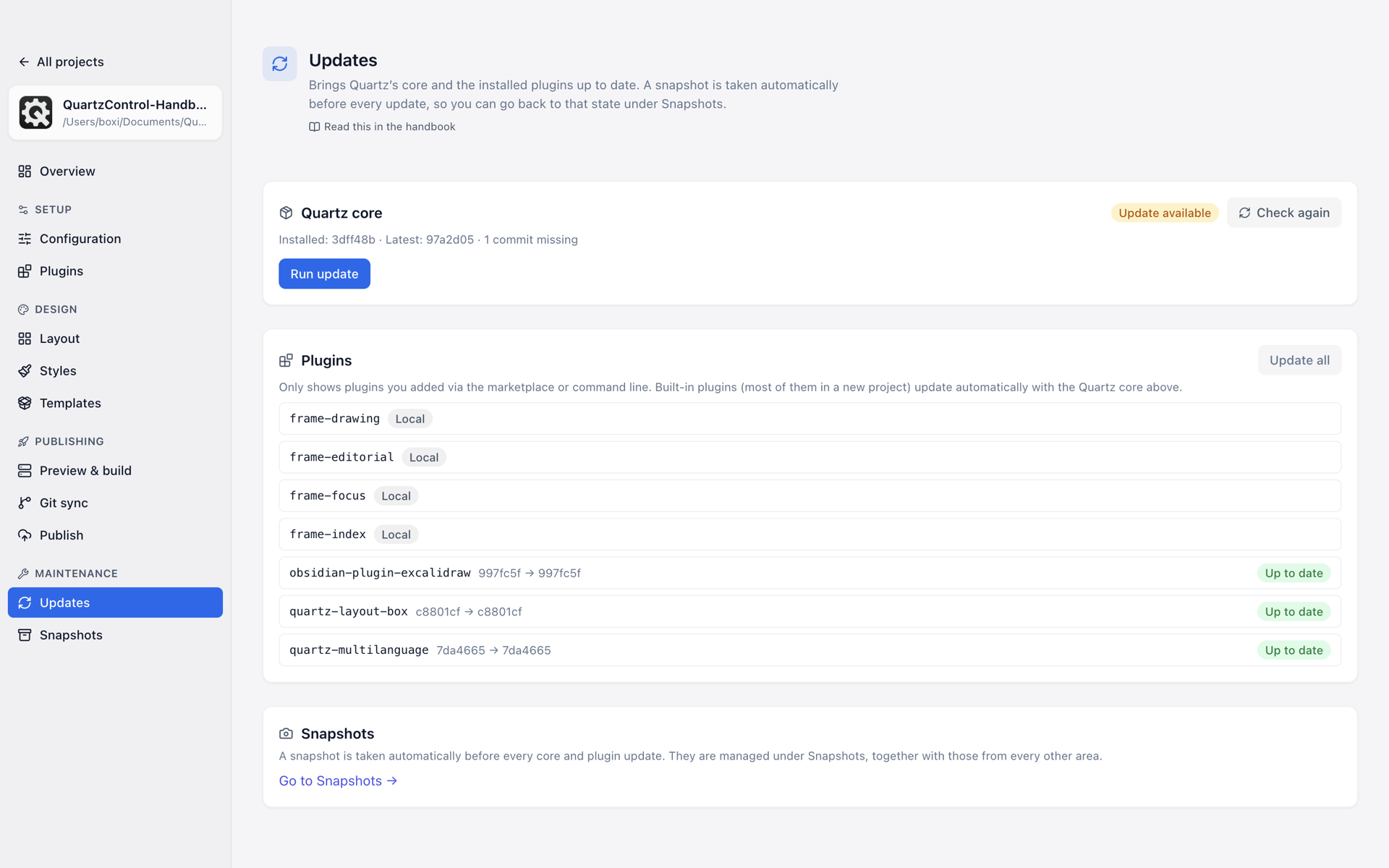
Updates for the core and the plugins.
Four answers, not two
The state of a check is Up to date, Update available, Check failed — or Unfinished. “Check failed” means neither of the first two: the question did not get through. Check again tries once more.
“Unfinished” means an earlier update merged the core but did not run to the end. There are two reasons for that:
- Packages of your own are missing. Packages the project added itself are missing from
package.json, or stand there at a different version. The card names them. npm installfailed. Then the dependencies in thenode_modulesfolder do not matchpackage.json— this can happen to a project with no packages of its own, too. The card says so without names in this case.
Either way, Run update catches up on what is missing. The other way out is the snapshot from before the update, with the Also reset the project commit switch on (see 7.2): without it the merged core stays the latest commit, and the update stands in Git-Sync as an uncommitted reversal. This state holds whatever the check says otherwise: it is the only one of the four with something to do.
The core

The installed and the latest state of the core.
The card names the installed and the latest state. Installed is the newest Quartz commit the project contains — not your own last commit, which sits on top after the first Git-Sync. When the project is behind, the line also says how many commits are missing.
Run update asks first, and the question has three parts:
Update Quartz’s core?
This fetches changes from jackyzha0/quartz and reinstalls the dependencies; conflicts may require manual work.
A snapshot is taken automatically first.
The last sentence is the safety net. What a snapshot holds is in 7.1.
When there are conflicts
A core update is a merge of two states. Where both sides changed the same file, a conflict comes about, and the page lists the affected files.
Two ways out sit right beside it:
- Abort merge — back to the state from before.
- Open the snapshot from before the update — the route via restoring, including the switch for the project commit.
Your own translations are excluded when their update protection is set up — the list says so explicitly. Anyone with wording of their own should check the protection beforehand, see 3.5.
The plugins
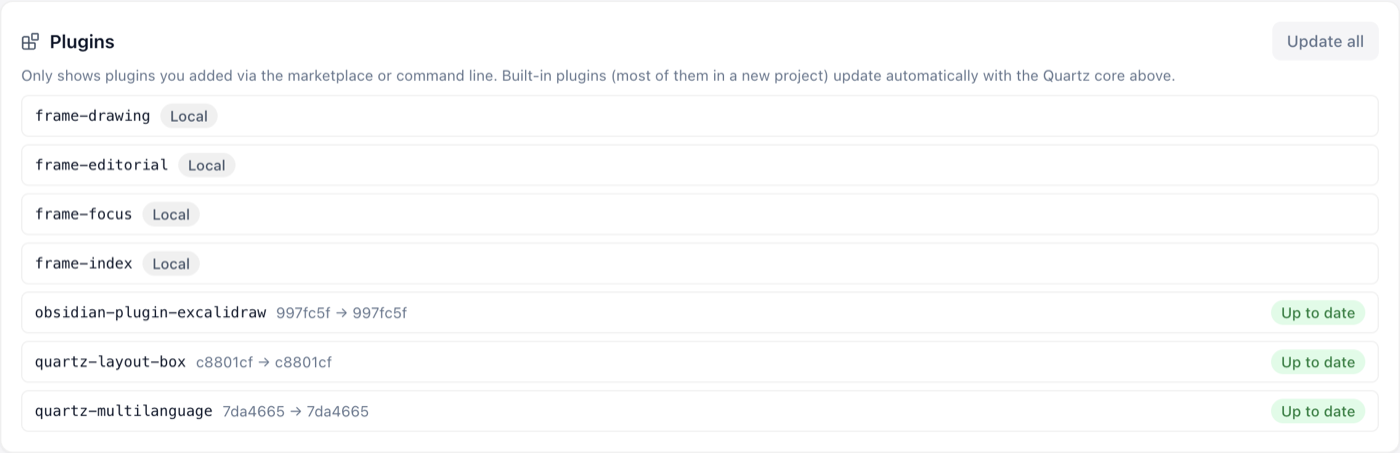
Only what came in through the marketplace or by hand.
The second card shows only plugins added through the marketplace or by hand. The built-in ones — in a new project, most of them — are updated automatically with the core above.
Individually or all together. Here too a snapshot is taken first.
A plugin with an available update carries the badge in the plugin list as well.
QuartzControl itself
A newer version of QuartzControl is reported by the start screen, with both version numbers and a link. It downloads nothing and changes nothing — updating QuartzControl is the same route as installing it, see 1.3.