

Duplicate on a project in the list copies its design into a new folder. The typical reason: a second site that should look like the first.
What comes along
The configuration, the plugins, the stylesheets, the fonts, your own frames, the translations — everything that makes up the look and the behaviour of the site.
The base URL is carried over too. That is intended, because it stays the same more often than not — but if the duplicate will live elsewhere, it has to be changed under Setup.
What stays behind — and why
| Stays behind | Why |
|---|---|
| The content folder | Two projects writing through the same link would know nothing of one another. |
| The publishing targets | Otherwise the duplicate would overwrite the original’s site with the first click. |
| The snapshots | They belong to the original’s history, not to a copy’s. |
| Set-aside content folders | The same. |
The second row is the reason the question is asked at all. A duplicate that inherits the targets is a duplicate that replaces the wrong site the first time it publishes.
Where the content comes from
Because the content folder is never copied, the dialog asks — with the same three answers as the wizard for a new project:
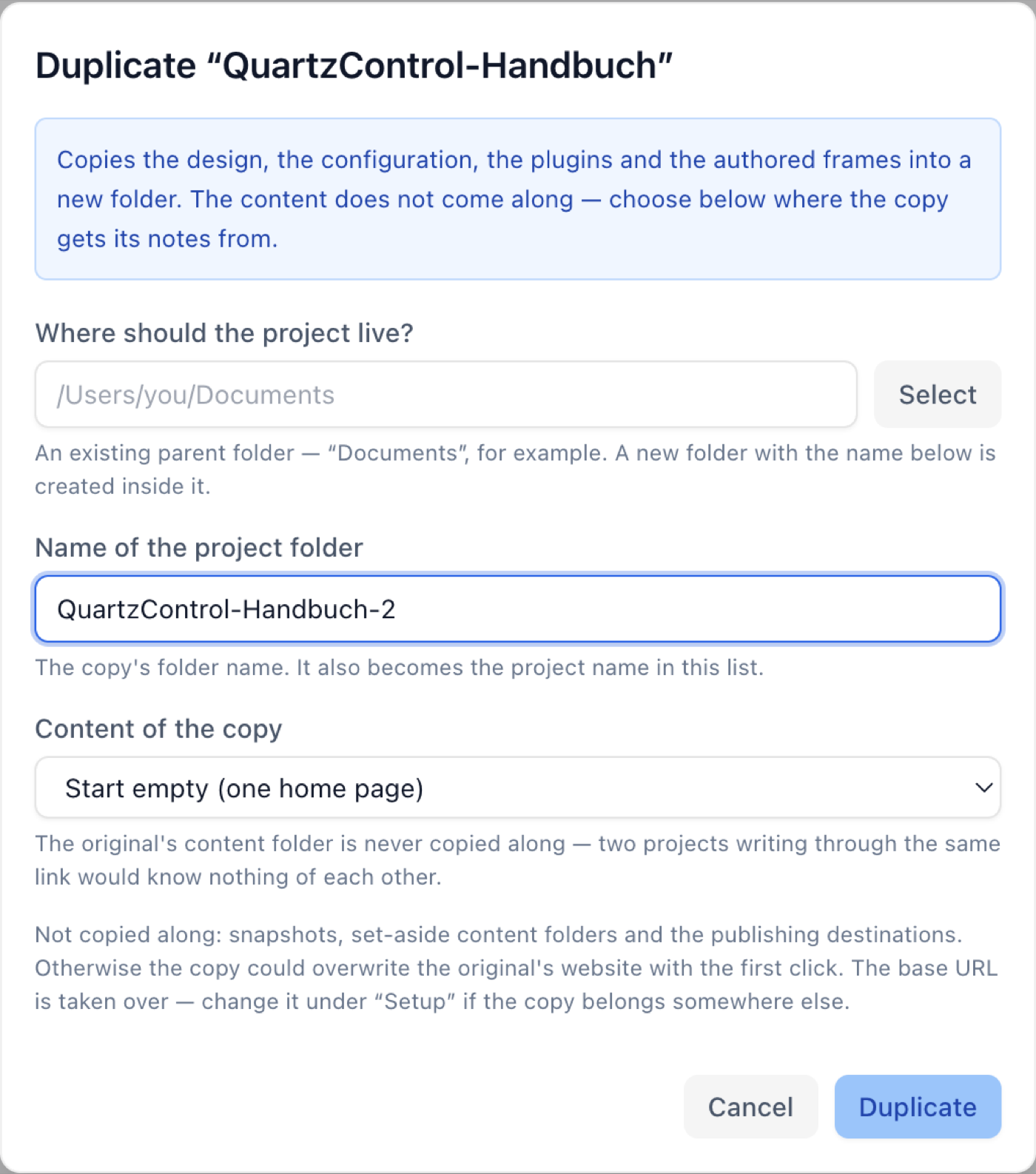
The duplicate dialog — the same three answers as in the wizard.
- Start empty — a start page, nothing else.
- Link to a folder — to a second Obsidian vault, for instance.
- Copy a folder in — an independent copy.
Afterwards
The duplicate sits in the list as a project of its own. Three things pay off right away:
- Check the base URL (Setup → Configuration).
- Change the site’s title, or both are called the same.
- Create a target if it should be published, see 6.1. The connection for it is already there: that belongs to QuartzControl, not to the project.