

The classic route: the built files move into a folder on a server. Three methods are on offer, and the difference is not only speed.
SFTP
Transfers file by file over an encrypted connection. Works with every provider offering SSH.
What matters is how SFTP knows what has changed: from a local list of what QuartzControl uploaded last. Files somebody changes or deletes directly on the server go unnoticed.
rsync
Asks the server itself what is there. So the comparison holds even when somebody changed something there by hand — and the transfer is faster.
Requirement: rsync has to be installed on the server. And on this page there are five reasons it can be blocked; QuartzControl names whichever applies each time:
| Reason | What to do |
|---|---|
| No suitable connection chosen | rsync needs SSH with a key file or an SSH agent. |
| Password authentication | Not possible — ssh cannot take the password. Switch to a key. |
| Key pasted as text | rsync needs it as a file. Change the connection. |
| Host key not confirmed yet | Publish over SFTP once — the fingerprint is asked for then — after which rsync can be chosen. |
| rsync missing on this machine | On Debian and Ubuntu: sudo apt install rsync. |
In every one of those cases the same sentence applies: SFTP transfers the same files until then, only without the comparison against the server.
FTP
The old route, and QuartzControl warns clearly:
FTP sends the password and all files in the clear. Without FTPS anyone on the same network can read along. Enable it if your provider supports it (or use SFTP instead).
If the provider supports FTPS, switch it on. Better still: use SFTP.
The remote path
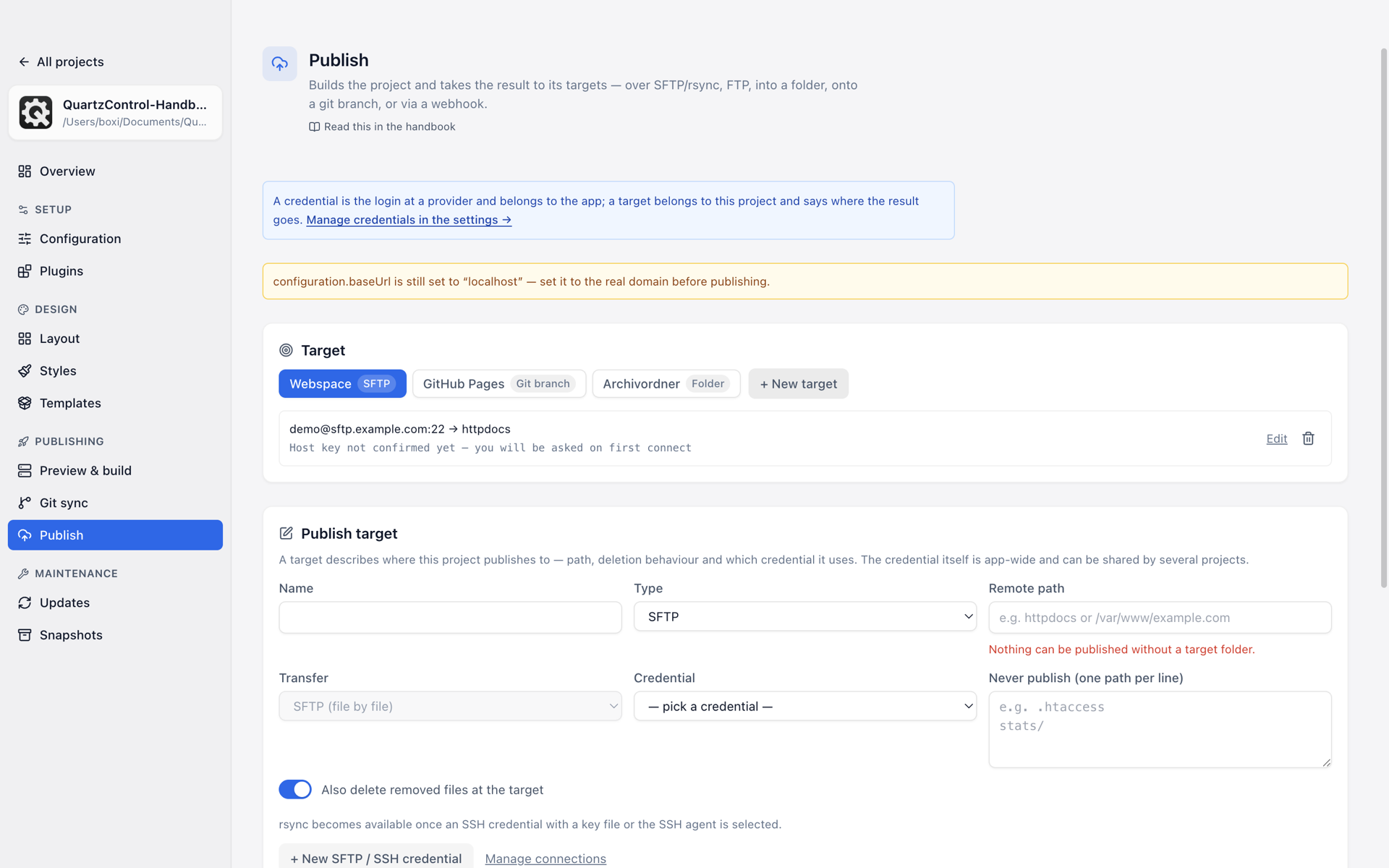
The form for a new target; the type at the top decides which fields appear below.
The folder on the server the site goes into — httpdocs, say, or /var/www/example.com. Without a
leading slash it counts from the login directory; on a webspace that is the normal case.
Three inputs QuartzControl refuses:
- Empty — without a target folder nothing can be published.
- The login directory itself — with deletion enabled it would be emptied.
- A path with
..
Authentication
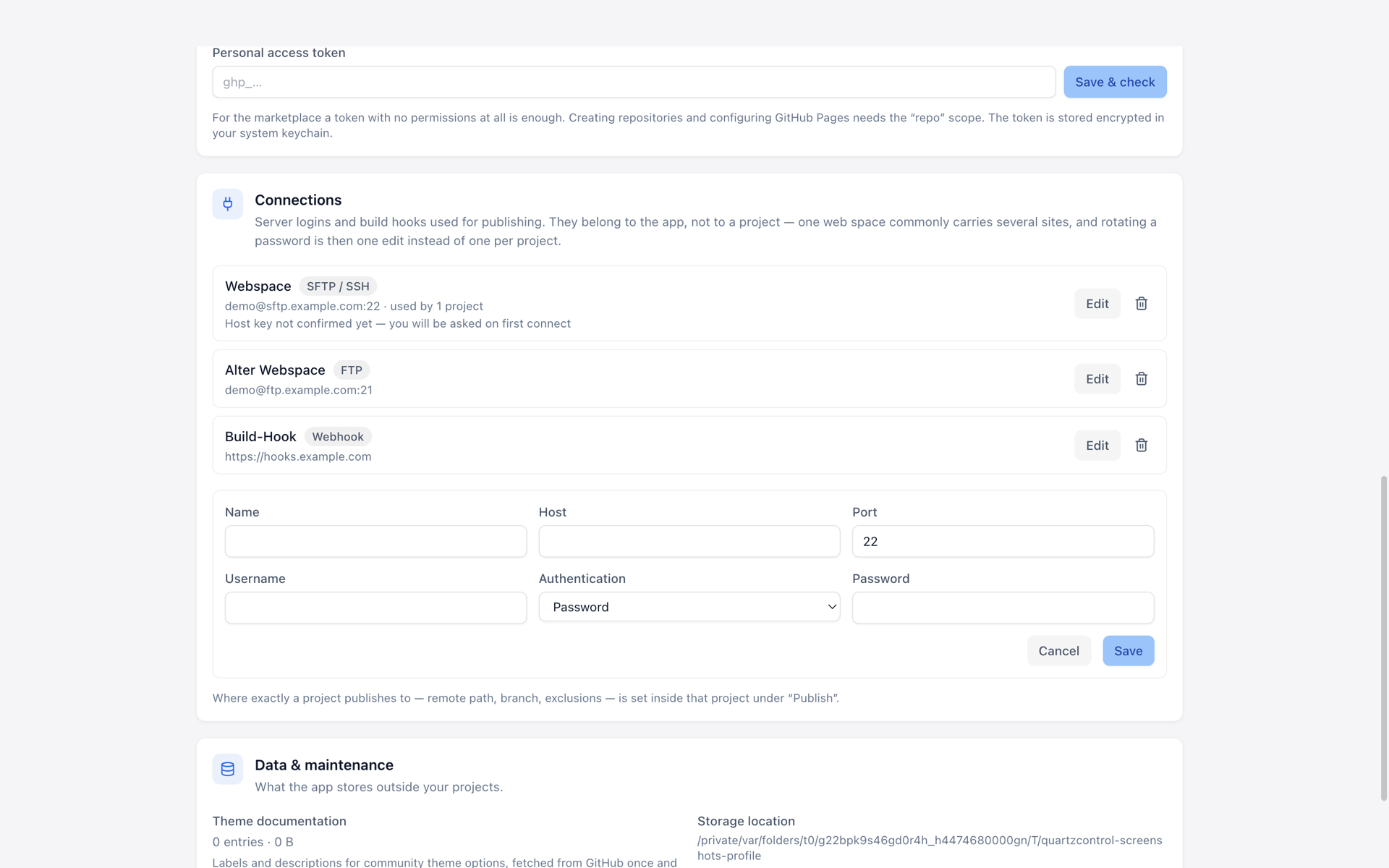
A new SFTP connection in the settings.
On the connection: password, private key or SSH agent.
With the SSH agent QuartzControl stores nothing at all — the key stays in the system’s agent. The requirement is that it is reachable; in a session without an agent it does not work.
A password or a pasted key lives encrypted in the system’s keychain.