

A community theme is a finished colour scheme from outside. It sits in the second of the four layers: it overrides the base colours, and is overridden in turn by variables and custom CSS.
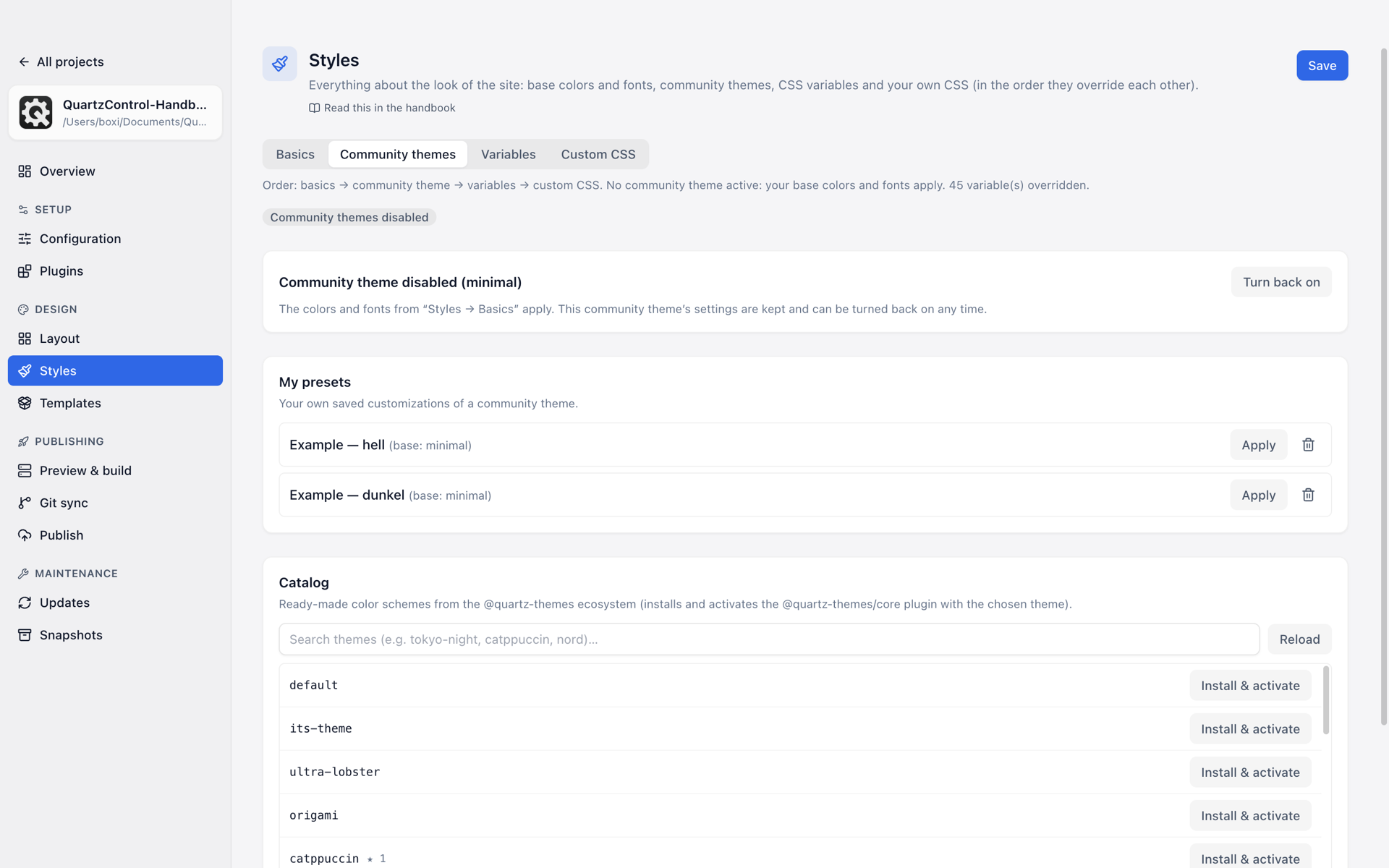
Community themes: a disabled theme, two presets and the catalogue.
The catalogue
At the bottom of the page. Searchable (tokyo-night, catppuccin, nord …), with details for every
entry: which modes exist, which variations, whether custom colours can be adjusted, which fonts come
along.
Install & activate fetches the theme and sets it. Afterwards the message contains a sentence worth taking seriously: do not forget to click “Save” at the top. It is installed immediately, but recorded only on saving.
If the list cannot be loaded, QuartzControl says so and shows only a few well-known themes as placeholders. That is pointedly not the statement “there are no more” — try again with Reload. A GitHub token in the settings helps if the request limit is the cause.
The active theme
At the top is which one applies. Below it, that theme’s own settings — but only the ones the theme itself brings.
If it brings none, QuartzControl says so. That is down to the theme, not to QuartzControl: values of your own would simply be ignored by Quartz at that point. Anyone wanting to change something anyway does so in the Variables tab or in the custom CSS — a link leads straight there.
For many themes there are also descriptions of the individual options, fetched from the original theme. Where they are missing, the switches stand bare — QuartzControl says that too, instead of inventing names.
Presets
A preset is a saved set: a base theme plus your own changes to it, under a name. The route to one:
- Install and activate a theme from the catalogue.
- Adjust it at the top.
- Save as preset, with a name.
After that, several can be kept side by side and switched between with one click — useful for comparing two colour worlds without losing the first.
Switching off
Disable community themes switches all of it off. The classic theme from the base layer applies again.
The settings are kept. Switching off is not deleting; a click on Re-enable restores the state.