

The settings are reached from the start screen at the top right, or through the menu. Everything here applies to QuartzControl as a whole; what belongs to a project lives in the project.
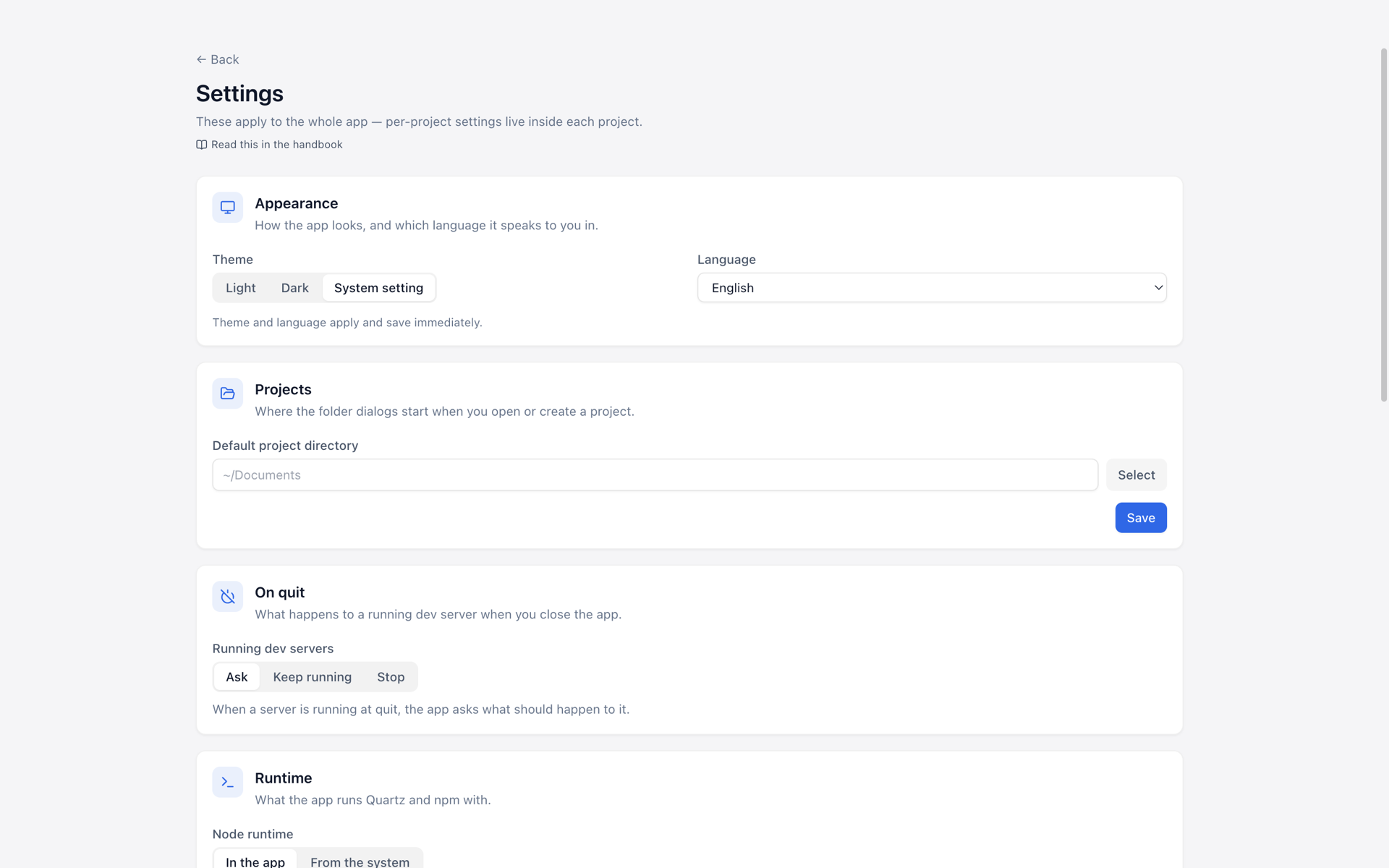
The settings — they scroll further than the window is tall.
Appearance
Theme (light, dark, system) and language (German, English, follow the system). Both are applied and saved immediately — there is no save button here. The language switches the operating system’s menu along with it, without a restart.
This means the appearance of QuartzControl. What the built site looks like is decided by chapter 4.
Projects
The default project directory — the folder the dialogs for opening and creating start in. A full
path beginning with / or ~/, or chosen through the folder dialog.
On quit
What happens to a running dev server when QuartzControl is closed — Ask, Keep running or Stop.
“Keep running” really means running on: the server stays reachable in the browser. On the next start QuartzControl notices it and asks whether it should be stopped; the “Preview & build” page lists it too.
Runtime
What Quartz and npm are run with — In QuartzControl (default) or From the system.
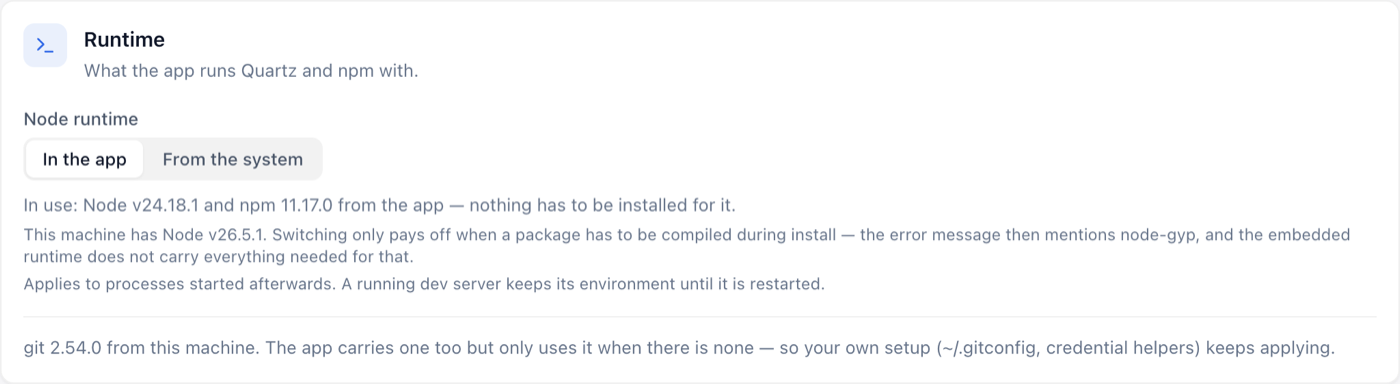
The runtime — below it, which git is used and why.
The default is the right one. Node and npm travel with QuartzControl, so nothing has to be installed on the
machine, and there are no version differences between two machines. Switching pays off in exactly one
case: when a package has to be compiled during install — the error message then mentions node-gyp.
Below it is which git is used. Here the rule is reversed: the machine’s own wins as soon as it
answers, so that your own .gitconfig and your own credential helpers keep applying. Only when there
is none does the bundled one step in.
A change applies to operations that start afterwards. A running dev server keeps its environment until it is restarted.
GitHub
A personal access token. It is needed in three places, and how much is needed for what is the one point worth knowing:
| For what | Which token |
|---|---|
| Marketplace and theme catalogue | One with no permissions at all will do. It only raises the request limit. |
| Creating a repository, setting up GitHub Pages | One with the repo permission. |
Save & check asks GitHub. The answer has three values, and that is intentional: Valid, Rejected (expired or revoked) — or Cannot check, when GitHub could not be reached. The last means neither “invalid” nor “valid”, but open.
The token lives encrypted in the system’s keychain. A stored one is not displayed; to replace it you enter a new one.
Connections
Server logins and build hooks for publishing. They live here and not in the project because the same webspace account can carry several sites: a password change is then one change rather than one per project.
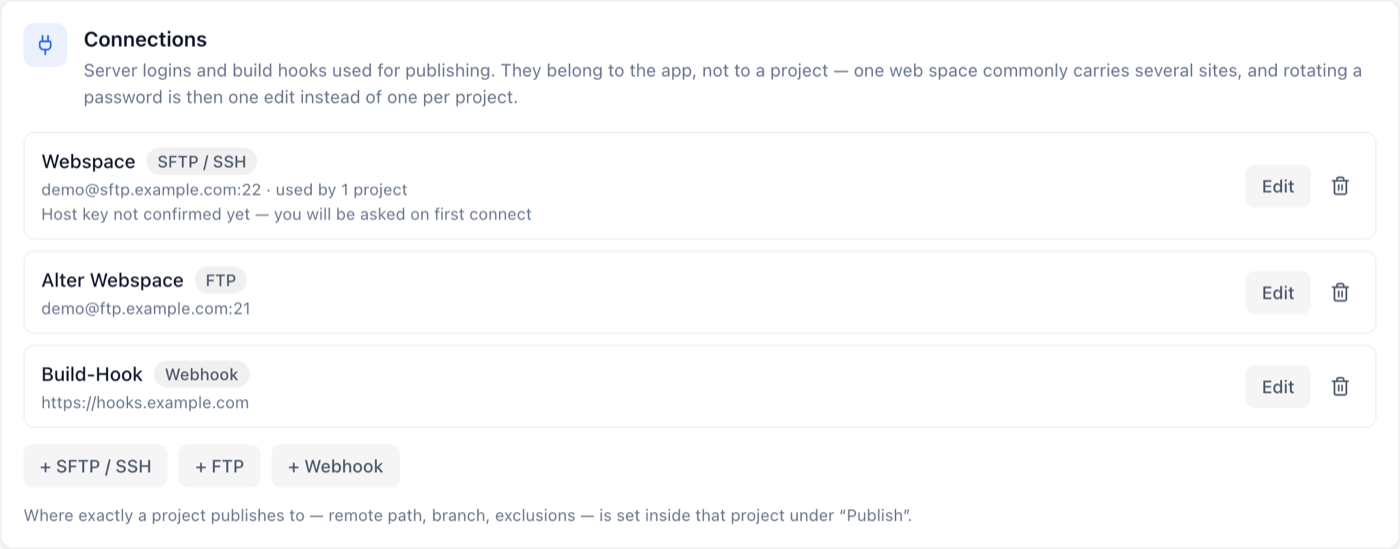
Three connections; where exactly a project publishes with them is set in the project.
What separates a connection from a target is in 6.1 — that is also where you set up where a project publishes to. Only the login lives here.
A connection in use shows how many projects use it. Deleting one is asked about accordingly more clearly: afterwards their targets point nowhere.
Data & maintenance
- Theme documentation — the labels of the theme options, fetched from GitHub once and kept. Clearing forces a fresh load.
- Storage location — where the project list, the settings and the encrypted connections live, with a button that opens the folder.
This is also where the message “A stored file was unreadable” appears, if QuartzControl could not open one of its own files at startup. It is then set aside rather than overwritten — so the content is still there — but what it held is missing from QuartzControl and has to be set up again.