

Publishing takes two things, and they live in two different places. Understand that once and everything else follows by itself.
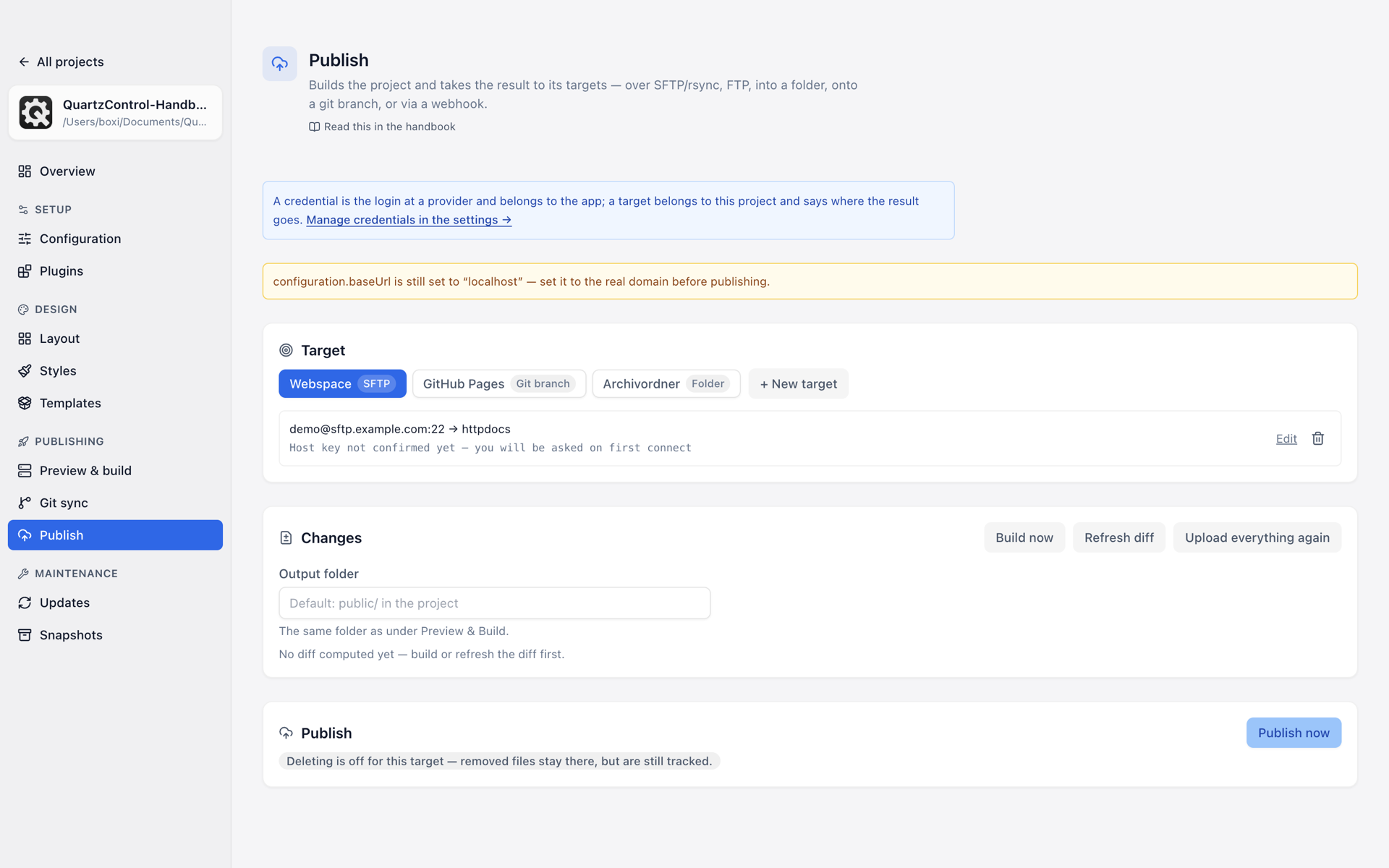
Publishing with three targets; the chosen one shows its connection and the server path.
| Connection | Target | |
|---|---|---|
| What | The login with a provider: server, user, password or key. | Where this project publishes to: path, deletion behaviour, exclusions. |
| Belongs to | QuartzControl | this project |
| Lives in | Settings → Connections | Publish |
The reason for the split: the same webspace account can carry several sites. A password change is then one change rather than one per project.
Conversely that means: a duplicate of a project inherits the connections (those belong to QuartzControl) but pointedly not the targets — otherwise it would overwrite the original’s site with the first click.
Creating a target
+ New target. The form asks for a name and a type, and the type decides the rest:
| Type | For what |
|---|---|
| SFTP / rsync | A webspace or your own server, see 6.4 |
| FTP | The same, older and unencrypted — same place |
| Folder | A folder on this machine, see 6.5 |
| Git branch | GitHub Pages, Codeberg Pages and relatives, see 6.2 |
| Webhook | The provider builds it itself, see 6.6 |
A target has exactly one connection, and the type of connection follows from the type of target. The form therefore offers only matching ones; others are created in the settings.
Deleting a target leaves the connection alone — QuartzControl says so in the question.
The host key
For SFTP and rsync the connection shows whether the host key has been confirmed. On first connecting, QuartzControl shows the server’s fingerprint and asks you to compare it with the one the provider states. Connect only if they match.
If the key changes later, the transfer breaks off and QuartzControl says both things it can mean: a freshly set-up server — or an attack. Ask first, then Forget host key, never the other way round.
Before you start
If the base URL is still localhost, the page warns at the
top. The finished pages otherwise contain links to localhost — they do not work on the server.